Read and locate
Open a PDF and search the current page for a label. Local Windows OCR reads scanned text and highlights recognized locations. Large pages use overlapping tiles to preserve small lettering.
FaultDojo / Windows release
A local workspace for wiring diagrams, troubleshooting notes and circuit practice. Find printed labels, read scanned text, inspect source-linked explanations and place virtual probes on reviewed connections.
Read the quick start →Version 1.0.0. Your drawings and questions stay on your computer. No account, cloud AI or API key is required.
Inside FaultDojo
From source to understanding
Open a PDF and search the current page for a label. Local Windows OCR reads scanned text and highlights recognized locations. Large pages use overlapping tiles to preserve small lettering.
Read supported English symbol/description tables and learn the general roles of their component types. View evidence takes you to the printed row. The local AI selects relevant entries; source text supplies equipment descriptions and values.
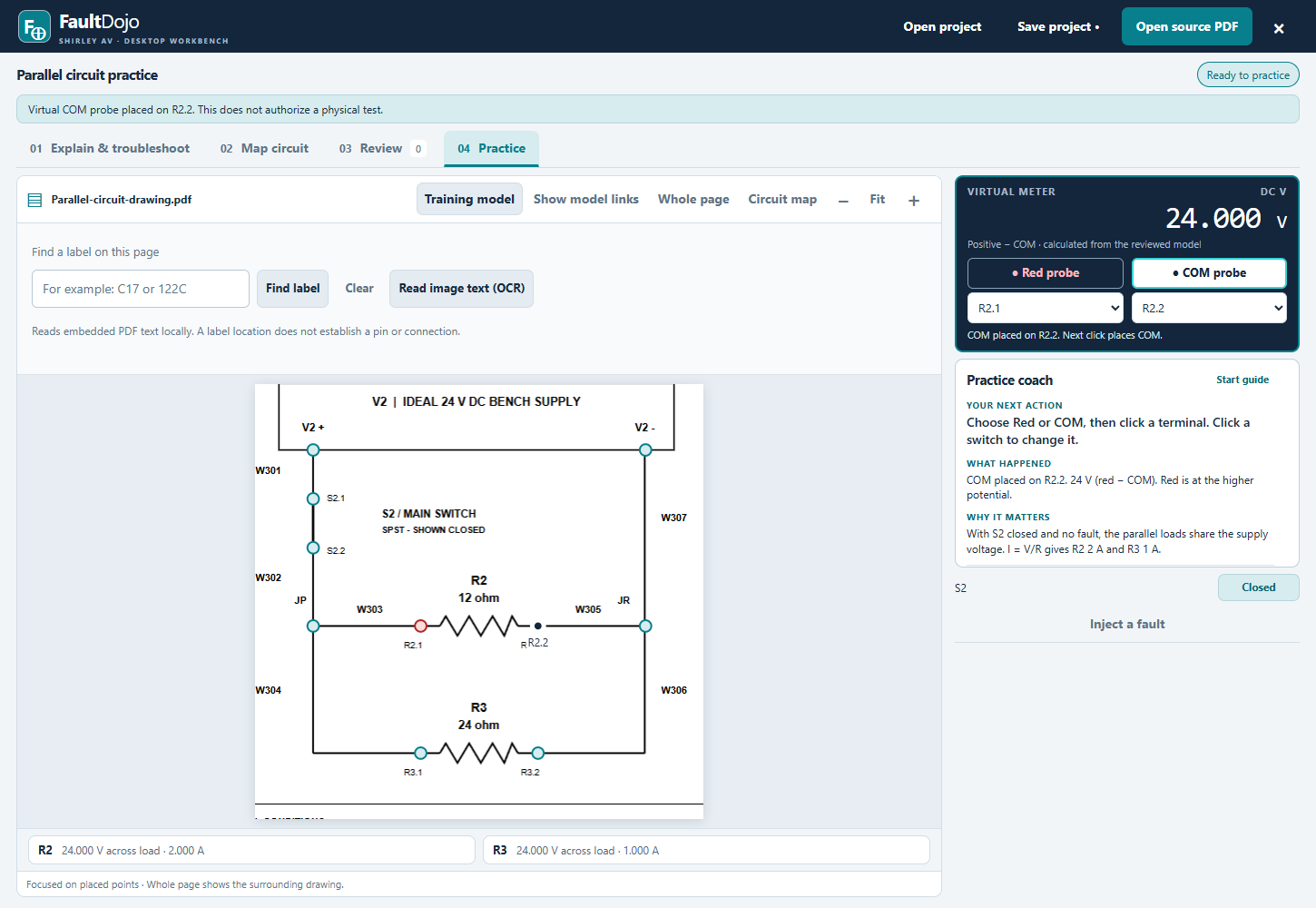
Mark actual terminals, document connections and review them against the source. Ask about reviewed connections and place Red or COM on their virtual terminals. Optional circuit suggestions remain subject to your review.
Record symptoms, operating state and actual readings. Save explanations and evidence with your project. Guided checks distinguish observations from simulated behavior.
Your first session
Open a PDF and select a page. Search a label, or choose Read image text (OCR) for a scan.
Open Explain & troubleshoot. Ask about component roles, then use View evidence to compare each answer with the drawing.
Mark terminals and review connections before calculating virtual readings. Try the included fictional lesson to learn the probe and fault tools.
Before installing
OCR can misread characters. Compare highlighted text with the source, especially pin numbers and ratings. Source-linked explanations currently support English symbol/description tables; unsupported layouts produce a lack-of-evidence response. A component table does not prove a wire route or a component’s condition.
Exact connection answers use your reviewed source-positioned model. Circuit suggestions are not automatically verified. Virtual probe placement is a model operation, not a physical test instruction. Apply the appropriate maintenance procedures to actual equipment.
Calculated practice supports steady DC wiring, switches and resistive loads. It does not automatically simulate arbitrary controllers, AC systems or motor behavior. Printed voltage references are not measurements or acceptance limits.