Find the source material
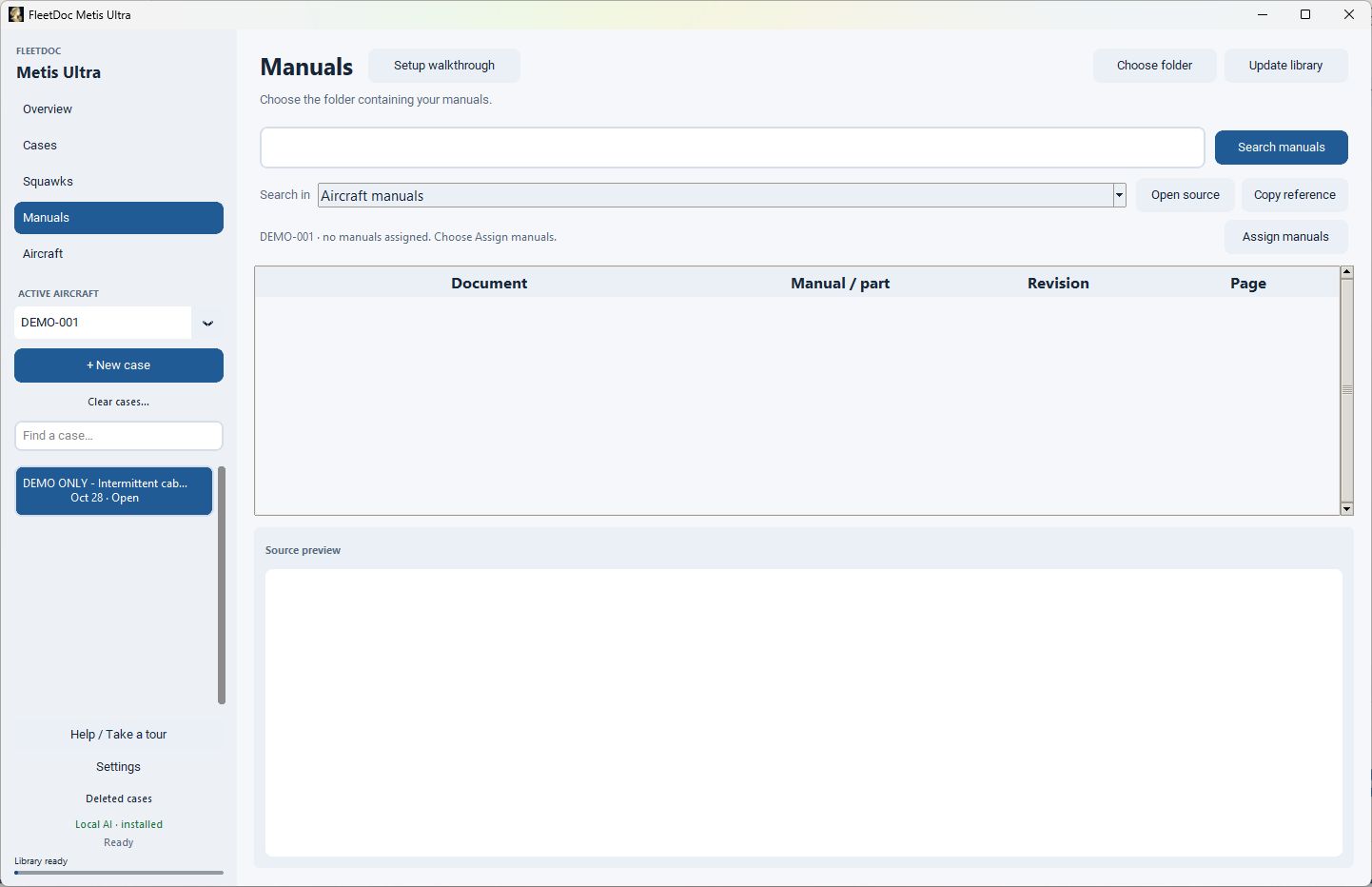
Index your authorized manuals, associate appropriate documents with an aircraft, search the library and open source pages. Review revision currency and applicability.
Manual research FleetDoc Ultra
Bring your authorized manuals into a local Windows research workspace. Search source pages, review citations, and keep a discrepancy investigation together.
See how it worksA tool for your work
For aviation maintainers working with an authorized reference library. FleetDoc supports research; it does not provide approved maintenance instructions.
What you can do
Index your authorized manuals, associate appropriate documents with an aircraft, search the library and open source pages. Review revision currency and applicability.
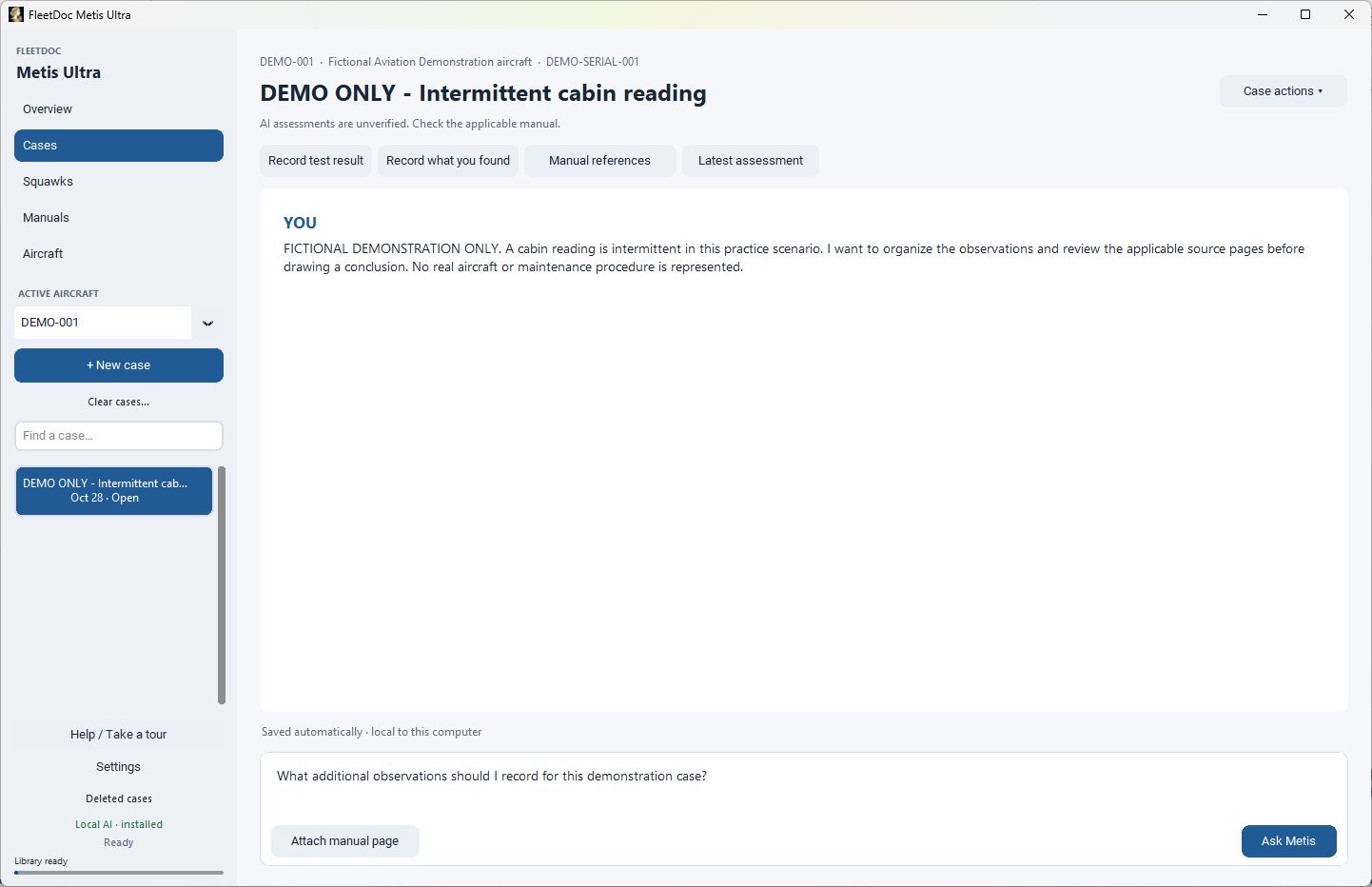
Record symptoms and observations, ask Metis, inspect cited pages and follow up. Keep tests, findings and manual references with the case as you assess possible causes and next steps.
Import DOCX, PDF, text or common image formats. Review extracted entries, remove or add items, then troubleshoot the remaining batch. Extraction can miss or misclassify items.
Browse saved cases, pause a batch for follow-up and resume your work. Case answers do not automatically refresh when the manual library changes.
Ollama and Gemma runtimes are included. Normal use is local, with aircraft, case data and settings stored per Windows profile. No manuals or real user records are bundled.
Use Help / Take a tour after installation. Adjust appearance and text size to suit your workspace.
Inside the application
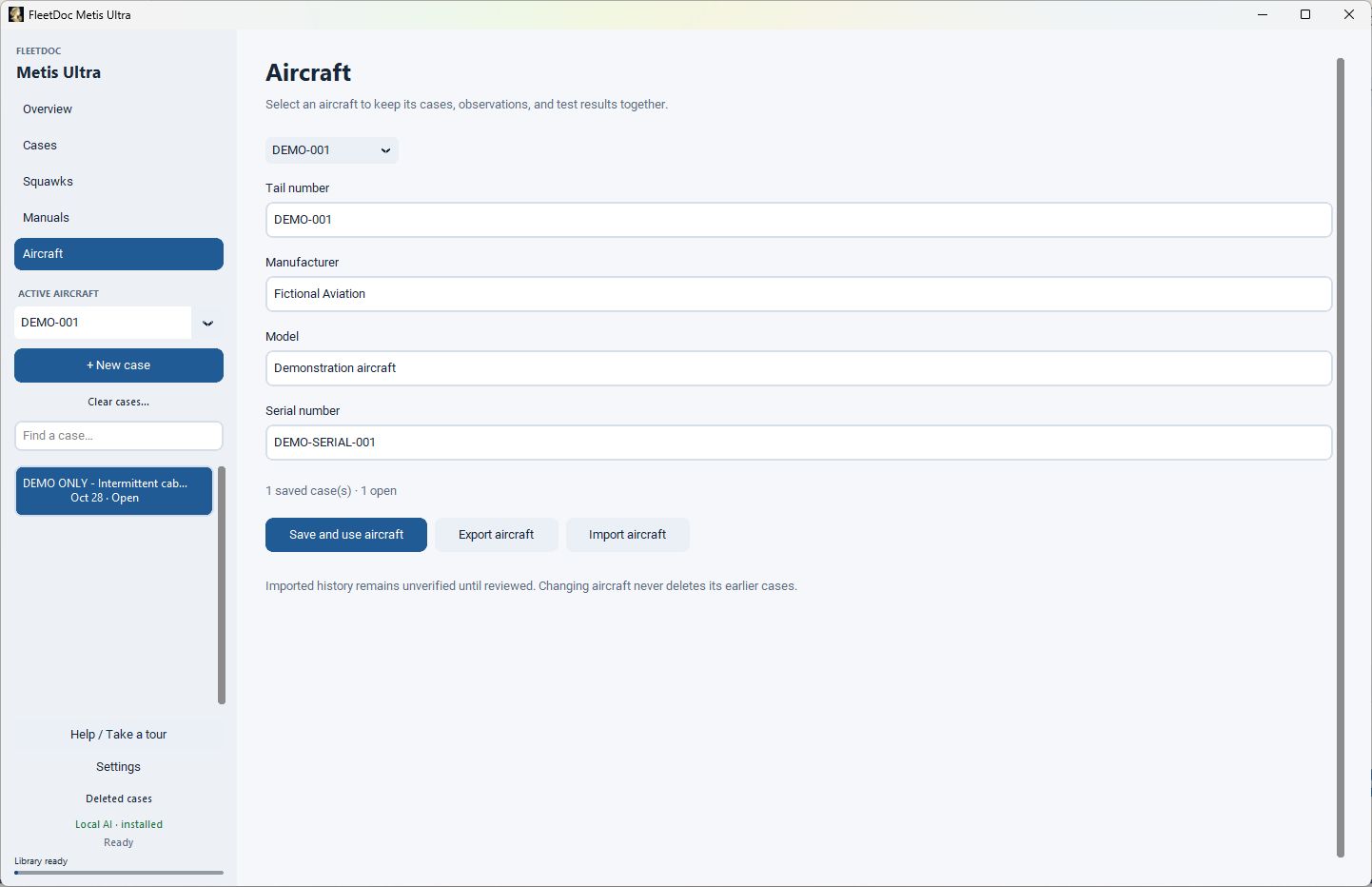
Real screenshots.
Sanitized demonstration data.
 Open full-size image
 Open full-size image
 Open full-size image
The workflow
Extract the entire ZIP. Keep Install FleetDoc Ultra.exe and all 15 BIN files together, then run the EXE from that folder.
Open Help / Take a tour. Add aircraft, choose the manual folder, index it and assign the appropriate manuals to each aircraft.
Start an individual case or import and review a squawk list. Record observations, inspect source pages, and retain tests and findings. Verify every proposed assessment before relying on it.
Before you start
AI output may be incomplete or unsupported. Check source pages, current revisions, aircraft applicability and conclusions against authorized maintenance data and your organization’s procedures. FleetDoc does not guarantee document currency, retrieve new ADs automatically, or claim regulatory approval, certified troubleshooting or diagnostic accuracy. There is no cloud collaboration or live shared-record synchronization.